Building your first gaming PC can feel overwhelming — forums throw around model numbers, benchmarks, and strong opinions, and every recommendation seems to assume you already know what VRAM is. The truth is simpler than the internet makes it look: a beginner PC gaming setup in 2026 needs a capable machine, a good monitor, comfortable input devices, and a desk you can sit at for hours. Everything else is optional. Here’s what actually matters, what to skip, and where your money does the most work.
The PC Itself: Specs That Make Sense in 2026
For smooth 1080p gaming at high settings — the sweet spot for beginners — aim for these minimums:
- CPU: a modern 6-core processor (think current-gen Ryzen 5 or Core i5). Games still lean more on single-core speed than core count, so a recent mid-range chip beats an older high-end one.
- GPU: a current-generation card with at least 8 GB of VRAM. This is the single most important component for gaming performance; if your budget is tight, this is where the money goes first.
- RAM: 16 GB is the baseline in 2026, and it should be a dual-channel kit (2 x 8 GB) so the memory runs at full speed.
- Storage: a 1 TB NVMe SSD. Modern games are huge — several popular titles now exceed 100 GB — and a spinning hard drive makes everything feel sluggish.
- Power supply: a reputable 550–650W unit with an 80 Plus Bronze rating or better. Never cheap out here; a bad PSU can take the whole system with it.
That combination plays virtually every current game well at 1080p and handles 1440p in many titles. You do not need a flagship GPU or 32 GB of RAM to enjoy PC gaming — those are upgrades for later, once you know what you actually play. It’s a reminder that technology and creativity meet in the games themselves, not in the spec sheet.
Prebuilt vs. Building It Yourself
Building your own PC is satisfying and usually cheaper for the same parts — but in 2026, prebuilt systems from reputable builders are genuinely competitive, especially during sales. Build it yourself if you enjoy the process and want full control over every component. Buy prebuilt if you’d rather have a warranty on the whole machine and someone to call when something goes wrong. There’s no wrong answer for a beginner; the “real gamers build” gatekeeping is noise. What matters is getting a machine with the specs above and no proprietary parts that block future upgrades.
The Monitor: Refresh Rate Beats Resolution (for Now)
For a first setup, a 24–27 inch 1080p monitor with a 144 Hz or higher refresh rate is the best value in gaming. High refresh rate makes motion visibly smoother and games feel more responsive — the difference between 60 Hz and 144 Hz is immediately obvious, while the jump from 1080p to 1440p is subtler on smaller screens. Look for an IPS panel for good colors and viewing angles, and adaptive sync support (FreeSync or G-Sync compatible) to eliminate screen tearing. A 1440p 165 Hz monitor is a fine upgrade if the budget allows, but don’t buy a 4K display for a mid-range GPU — you’ll just be turning settings down.
Keyboard, Mouse, and Headset
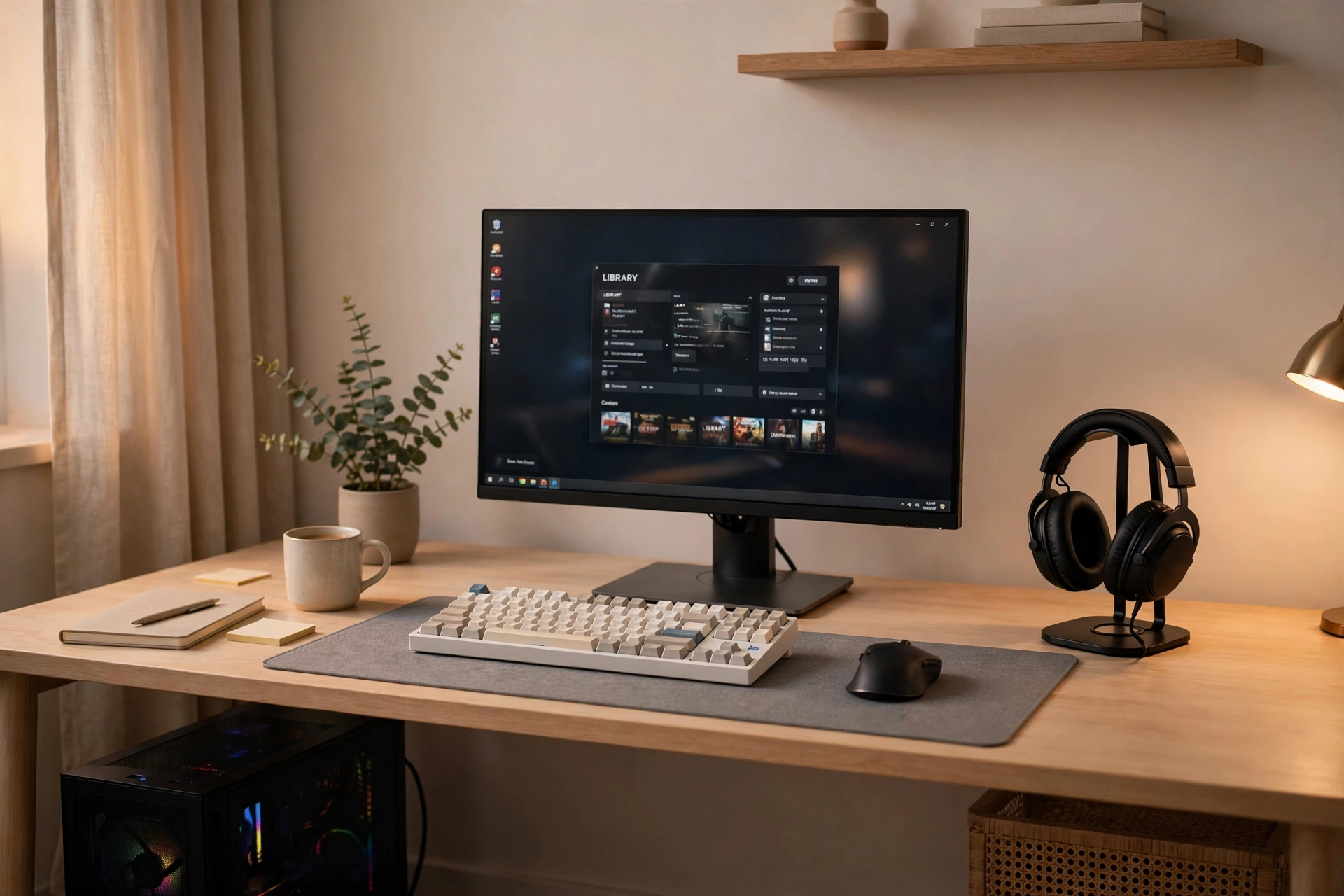
You don’t need a $200 keyboard on day one. A solid mechanical or quality membrane keyboard with comfortable key feel, a gaming mouse with a reliable sensor (most modern ones are excellent), and a comfortable headset with a clear microphone cover 99% of beginner needs. Prioritize comfort over features: you’ll use these for hundreds of hours, so a mouse that fits your hand and a headset that doesn’t clamp your skull matter more than RGB lighting or macro keys. Wireless is nice but not necessary — a wired setup is cheaper, lighter, and never needs charging. And given how fast technology evolves, today’s mid-range peripherals outperform yesterday’s flagships anyway.
Desk, Chair, and Ergonomics
The most underrated part of any setup is the furniture. A desk at the right height (elbows at roughly 90 degrees when typing), a chair with decent lumbar support, and a monitor positioned so the top of the screen is at or slightly below eye level will do more for your long sessions than any hardware upgrade. You don’t need a racing-style gaming chair — many are style over substance. A well-reviewed ergonomic office chair often costs less and supports you better. Add a large mousepad, keep cables tidy with a few cheap clips or a tray, and make sure your room has decent lighting to reduce eye strain.
What Beginners Waste Money On
- Overpowered GPUs for 1080p: a card built for 4K is wasted on a 1080p 144 Hz monitor. Match the GPU to your display.
- 32 GB of RAM “for future-proofing”: 16 GB is plenty for gaming in 2026; upgrade later if a specific need appears.
- Premium motherboards and cases: a mid-range board and a case with good airflow beat an expensive board in a hotbox every time.
- RGB everything: lighting doesn’t raise frame rates. Spend that budget on the GPU or monitor instead.
- Capture cards and stream decks on day one: buy streaming gear only after you’ve actually started streaming.
Starter Games and Basic Maintenance
Once the rig is running, start with games that teach you the platform: a forgiving single-player adventure, a free-to-play shooter to test your aim, and one strategy or indie title to show off PC gaming’s variety. Steam sales make building a library cheap — wishlist games and buy during seasonal sales. If you ever want a break from the screen, tabletop RPGs like D&D make a great alternative hobby that scratches a similar creative itch with friends around a real table.
Maintenance is simple: update your GPU drivers every month or two, keep Windows and your games updated, blow dust out of the case with compressed air a few times a year, and back up anything you’d hate to lose. That’s it — modern PCs mostly take care of themselves.
Conclusion
A beginner PC gaming setup in 2026 comes down to a balanced mid-range PC with a strong GPU, a 144 Hz monitor, comfortable peripherals, and a desk setup that treats your body well. Skip the flagship parts, the RGB tax, and the streaming gear until you need them. Spend the savings on games — because the setup is just the doorway, and the games are the point.